Introduction
Security is a top priority for IT operations teams managing modern hybrid environments. At OpsRamp, protecting access to critical infrastructure and sensitive data is essential. Two-Factor Authentication (2FA) provides an additional layer of security that requires you to verify your identity through two distinct methods: a password and either a mobile device or an authentication app.
Enabling 2FA helps prevent unauthorized access, strengthens account protection, and ensures that only trusted users can access the OpsRamp platform. This extra step helps keep digital systems safer and is an important part of strong security practices.
Activate two-factor authentication
The Two-factor authentication options are displayed only when enabled from the partner or client details page.
Follow these steps to activate two factor authentication:
- Log in to OpsRamp.
- Hover the mouse over your avatar in the top-right corner of the screen and click My Profile.
- Toggle 2FA from the OFF to ON state to enable 2FA authentication.
- Click ACTIVATE. The ACTIVATE TWO-FACTOR AUTHENTICATION dialog box is displayed.
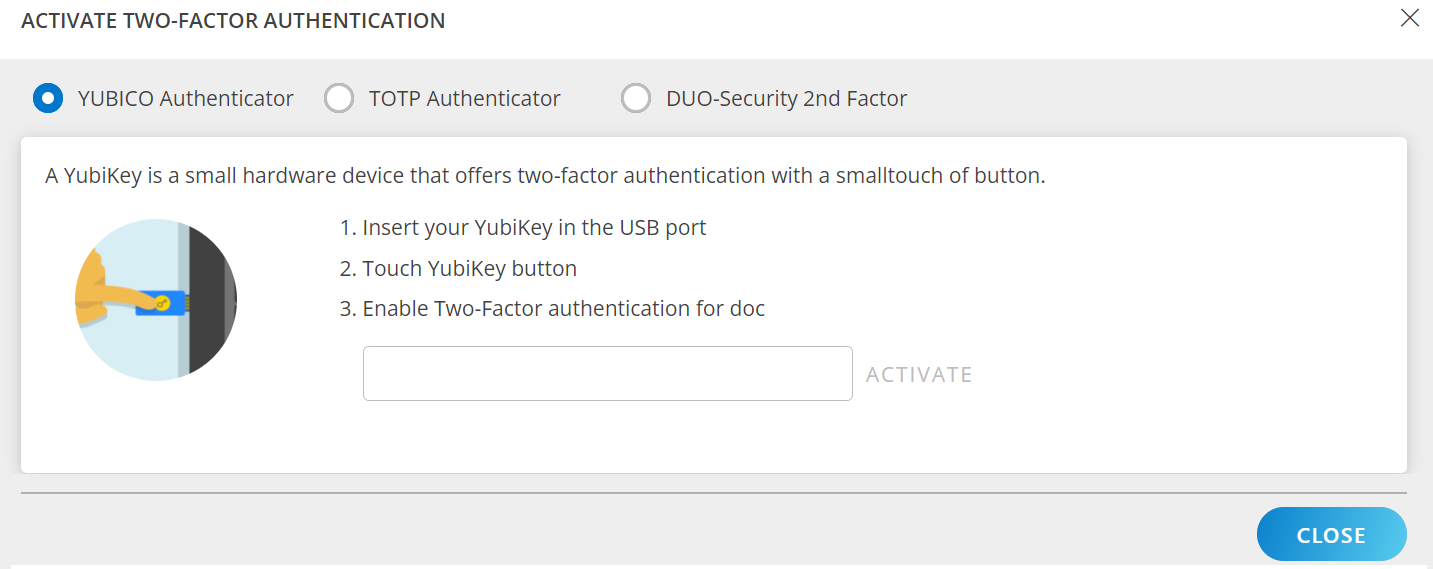
- Select the appropriate option and follow the instructions on the screen to activate the two-factor authentication.
See Two-Factor Authentication for more information.